Part one: make the thing.
Use whatever AI you already talk to: Claude, ChatGPT, Gemini, Copilot, any of them. Describe your idea like you'd describe it to a friend. The only rule is how you end the request:
The magic sentence: say this every time
Make this as one single HTML file, with everything included in that one file, so it works on a phone.
- Describe your idea to the AI and end with the magic sentence.
"Make me a flashcard app for Spanish verbs... make it one single HTML file, everything included, works on a phone."
- Try it before you ship it. Most AIs show you a working preview. Poke at it. Ask for changes in plain English until it feels right.
- Download or copy the file to your device.
You want to end up with one file, ideally named index.html. If the AI gave you a wall of code instead of a file, paste it into a notes or text editor app and save it with that name.
Why one HTML file? Because it's the simplest thing that is a complete, working app: one file to save, one file to upload, nothing to break. It's how most of the apps on this table are built.
Part two: put it online.
An app on your phone is yours. An app with a link is everybody's. A hosting site takes your file and gives it a URL. That URL is the whole prize, because it's what you share.
These steps use Netlify because it's free and it's the one I learned first, not an endorsement, just a path I've walked. Other services (Cloudflare Pages, GitHub Pages, Vercel, and more) do the same job, also free. Any of them is fine.
- Sign up free at netlify.com.
Email signup works. The free plan is all you need. You should never hit a payment screen for apps like these.
- Tap "Add new project."
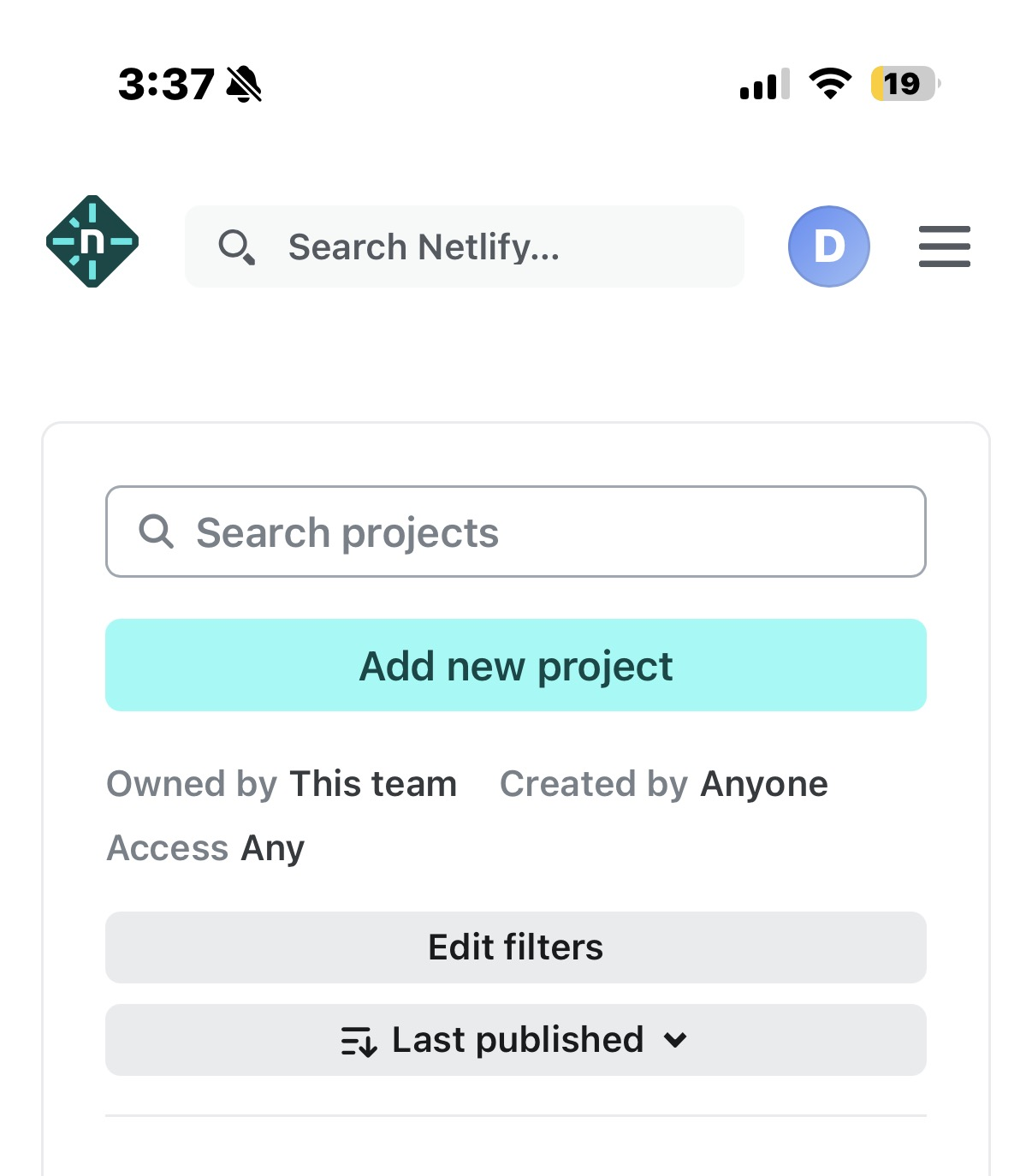
It looks like this on a phone. - Scroll past the fancy options to "Upload your project files."
Netlify will offer AI agents and Git things first. Ignore all of it. You want the humble upload box at the bottom.
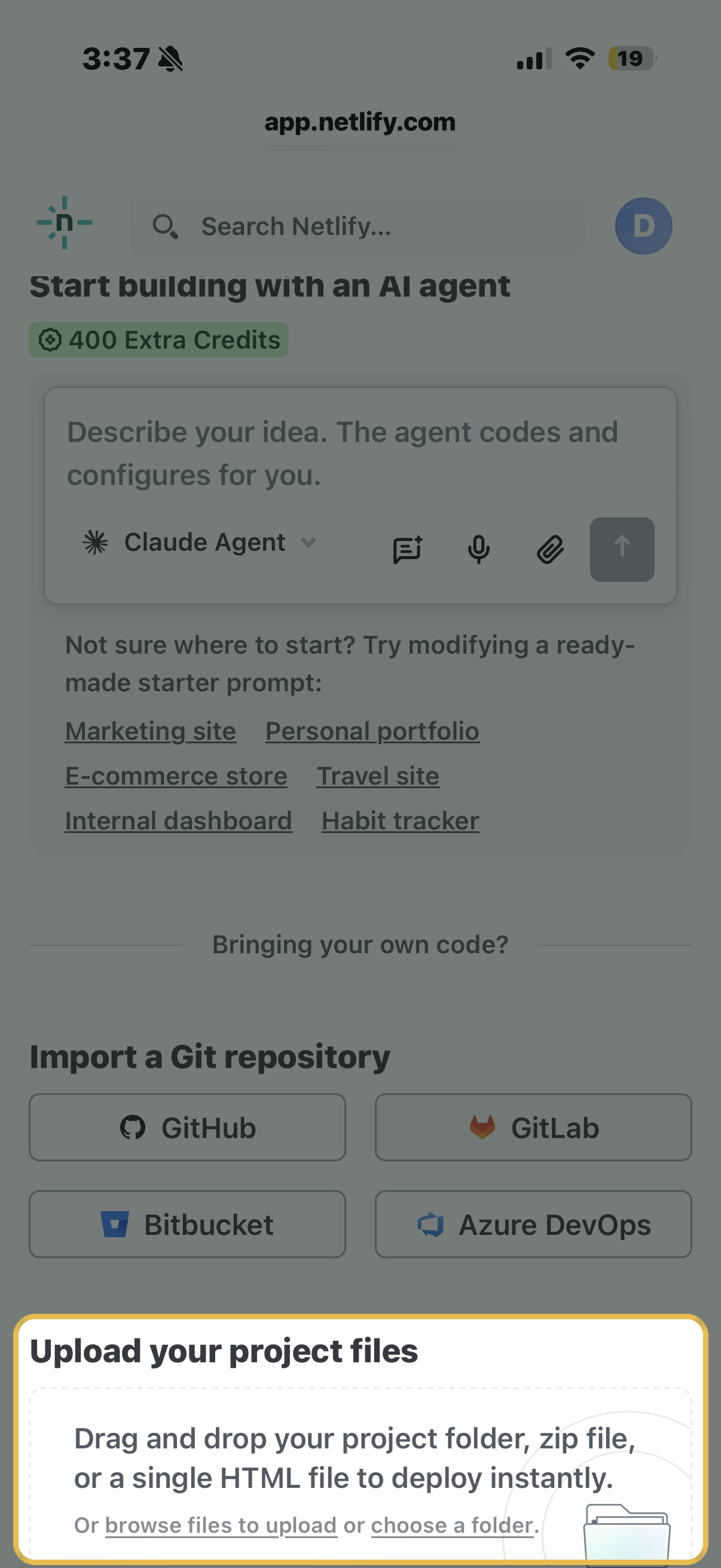
The highlighted box is the one you want: it takes your single HTML file directly. - Upload the file: just the file, no folder needed.
Tap "browse files to upload" and pick your HTML file (or drag the file in on a computer). Ignore the "choose a folder" option. That's for bigger projects.
- Copy your URL. This is the moment.
In a few seconds Netlify shows your app live at an address like curious-otter-1a2b.netlify.app. That link is your app. Text it to anyone on earth and it opens.
One thing that trips everyone up: when you paste your link anywhere, a form, a message, this site's submission box, include the whole thing, starting with https://. So not curious-otter-1a2b.netlify.app but https://curious-otter-1a2b.netlify.app. Without that front part, forms and some apps treat it as text instead of a link, and it just won't work. Easiest way to never get bitten: use Netlify's copy button next to the address instead of typing it.
- Optional: make the URL nicer. In the project's settings, look for "Change site name" and rename it to something like spanish-flashcards. Your link becomes spanish-flashcards.netlify.app.
Updating later: make changes with your AI, save the new file, and upload it to the same project (look for "Deploys" and drop the file there). Same URL, new app. The link you shared never breaks.
Part three: put it on the table.
You've got a URL. Now it can feed more than your group chat. Submit it below. A person (me) checks every app before it goes up, and if it's free, works, and isn't harmful, it joins the table.